
Problem-first version
Hook idea: the group chat still has not settled last night's bill. The recording shows how the app calculates each share.
Give your published app a launch creative. Bring the public page and a short recording of one useful action. Prolifik helps turn them into videos to review.
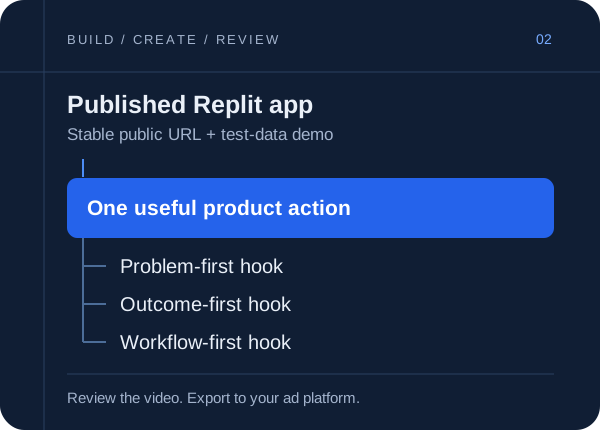
Prolifik creates video creatives for apps built on Replit. Use your published landing page for brand context, then upload your own product recording for Video Hook & Demo. Make different hooks around the same app task, review each result and export the version you want to test in a paid campaign. Plans start at €15 a month, with a 7-day free trial, no card.
How it works
Use the production .replit.app URL or custom domain, rather than a temporary development preview. Open it while signed out. If the app needs authentication, give Prolifik a public landing page instead.
Use test data to show the input, the action and the result. A short recording of one working feature is easier to understand than a fast tour through the whole app. Demo footage can be up to 60 seconds.
Set the product context in Brand Intelligence, select Video Hook & Demo and supply your recording. Check that the hook matches what the footage proves, then download the approved video.
Replit separates development previews from published apps. A preview can be temporary or restricted; a published deployment has its own shareable URL. Use the page a potential customer would visit from the ad.
Prolifik reads the public product message you provide. It does not enter your Replit workspace or deploy the app for you. Keep the landing page current, and correct the imported brand context before making a batch.
For an example expense-splitting app, record adding a shared dinner bill and showing what each person owes. Keep the currency and names consistent. This is an illustrative creative brief, not a performance claim.
Hook idea: the group chat still has not settled last night's bill. The recording shows how the app calculates each share.
Hook idea: everyone can see their share before the chat starts. Use the same recording, with the result shown clearly.
Keep the demo, offer and destination fixed when comparing hooks. That makes the creative test easier to interpret in your ad account.
Check the public app works on a phone, the video matches the live feature and the landing page offers the action named in the creative.
Download the video you approved and upload it in your ad platform. Choose footage, hook clips and music cleared for the paid placement, then check the platform's current creative requirements before submitting it.
Prolifik's calendar publishes organic posts to TikTok, Instagram Reels, YouTube Shorts and X. Paid campaign setup, budgets, targeting and conversion tracking stay in your ad platform.
A public URL supplies product context. To show actual interaction, provide a screen recording. The Video Hook & Demo format uses that recording rather than inventing a working version of your interface.
FAQ
Keep exploring
Bring your public page and a recording of the feature worth showing. Start with a 7-day free trial, no card.
Start free trial