
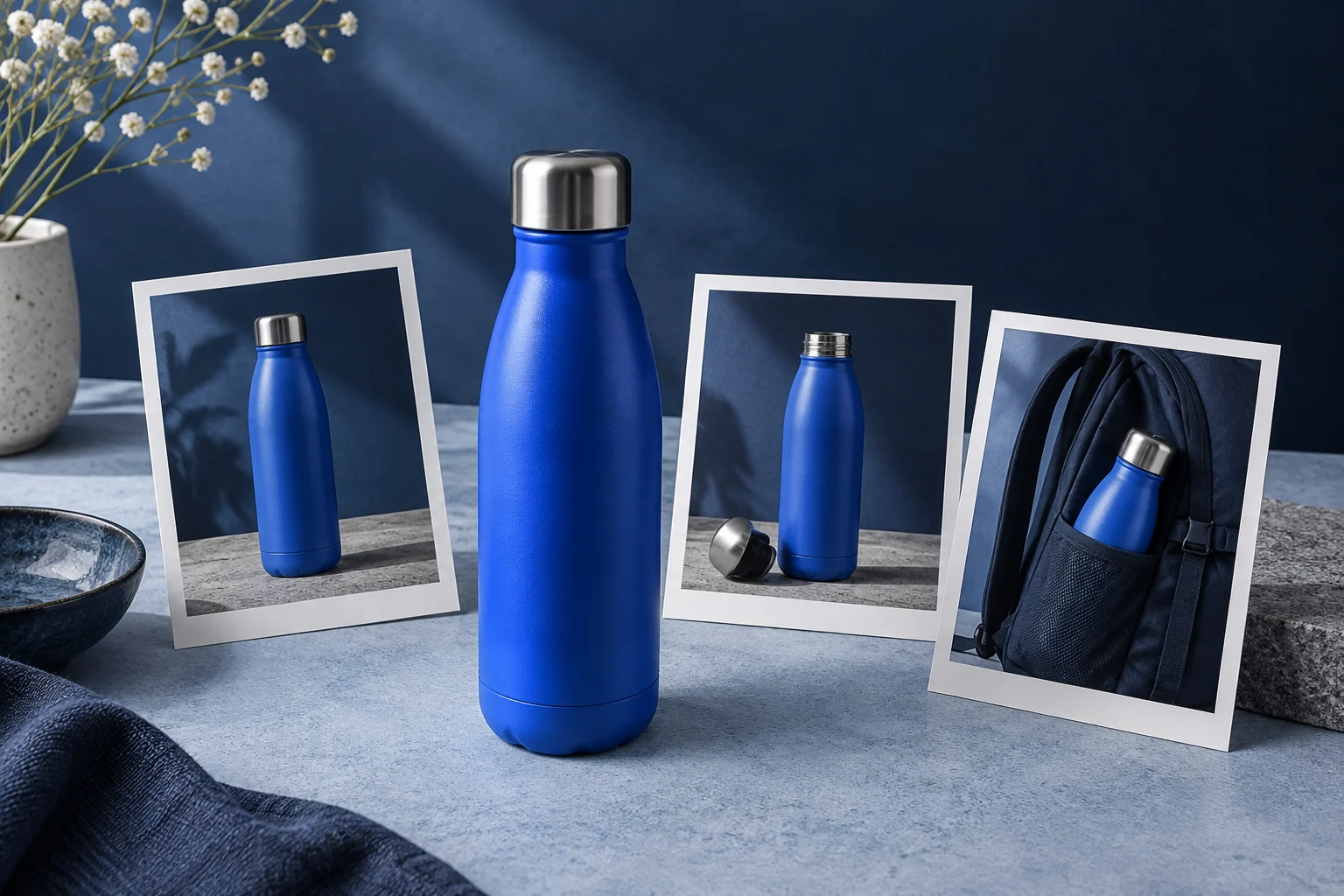
You can turn product photos into a Reel without pretending the product was filmed in motion. A timed sequence of real images can show its shape, useful details and context while short text explains what the viewer is seeing.
The work starts in the photo folder. Choose images that answer different buyer questions, then decide what each image earns the right to say. Five near-identical front views produce a longer slideshow, but they do not tell a fuller product story.
Give every photograph a purpose
Imagine a fictional shop preparing a Reel for an insulated bottle. It has a front view, an open-lid photograph, a close-up of the base and a photograph of the bottle in a backpack pocket. These are examples of the types of real images a shop could supply; the artwork on this article is conceptual illustration, not evidence of an actual bottle's specifications.
Start by writing the question each photograph answers. The front view identifies the product. The open lid shows the opening. The backpack image gives carrying context. A nearly identical second front view may be unnecessary unless it shows another genuine color option.
Do not infer features from appearance. A closed lid is not proof that a bottle never leaks. Ice beside a bottle does not establish how long it keeps a drink cold. Put factual claims in the script only when your product information supports them.
Select a sequence that a new viewer can follow
A useful illustrative order is identification, detail, use context and next step. For the fictional bottle, that becomes:
- Front view: “A bottle for your everyday bag.”
- Open-lid image: “See the opening before you choose.”
- Backpack photograph: “Check the fit against the bag you use.”
- Front view with space for copy: “Find the dimensions on the product page.”
These lines deliberately avoid invented capacity, durability and temperature claims. A real shop can replace them with verified details, such as an actual listed height, if that detail helps the buyer decide.
The backpack scene is context, not a universal fit guarantee. If the bottle only fits the pictured bag, show that honestly and direct people to the dimensions. The product video examples offer other ways to connect visible material to a specific product question.
Prepare crops before the text competes with them
Open each photograph in the intended vertical frame. Check whether the full product remains visible, whether a small but important feature has been cut away and where the overlay copy can sit. A horizontal product photograph often needs a different arrangement from a close-up.
Keep the bottle upright unless the original image has a deliberate angle. Avoid stretching an image to fill the frame. A background margin is usually preferable to distorting the object you are selling. When a detail needs a close crop, retain another image that establishes its location on the product.
Plan one text zone across the sequence where possible. If the first photograph has clear space at the top but the second places the lid there, adjust the crop or move the text deliberately. Repeated collisions make an otherwise simple video feel unfinished.
Test the smallest important detail on a phone. If its meaning disappears at that size, use a closer real photograph or omit the claim that depends on it. Increasing the number of slides will not make an unreadable detail clearer.
Build a timed photo sequence in Prolifik
Prolifik's Image Carousel format supports image-led content, including a manual workflow using your own product photographs. Supply the selected images and the copy that belongs to each one. Keep the source order explicit rather than relying on upload order to communicate the story.
Choose the intended delivery before rendering. An Instagram Reel plays through a timed video. A native image carousel lets the viewer advance between still images. They may share source material, but their reading pace and delivery requirements differ. The video carousel guide explains that distinction in more detail.
For this example, request a timed video using the four photo roles above. A generated movement between slides can add pacing. It should not create a fictional demonstration, such as showing liquid pouring from a product when the supplied material contains only a still photograph.
Let the picture work before adding more copy
The photograph already communicates color, shape and visible texture. Text is most valuable when it helps interpret the detail or directs attention to a decision. “Blue bottle” contributes little if the frame clearly shows a blue bottle. “Compare the height with your bag's pocket” gives the viewer a useful task.
Keep a dense specification block on the product page. A Reel can select the one measurement or condition that matters for its topic, then point to the full information. If several qualifications are necessary to explain a feature accurately, give that feature its own piece.
Read the exported video at its actual pace. Each image needs enough time for the viewer to see the relevant detail and read the overlay. Treat music as accompaniment; the product information should remain understandable without it.
Save the image-to-line pairing
Keep the approved sequence as a short record: filename, crop, screen copy and the source for any factual claim. That makes a later product update manageable. If the lid changes, you can replace the affected photograph and its wording without guessing which version appeared in the Reel.
Start with four images that do different jobs. When the sequence answers a real buyer question and the copy stays within what those images and product facts support, you have a useful product Reel built from material you already own.
Make a video from your product photos
Arrange your real images with short copy that explains each view.
Explore Image CarouselProduct and primary-source checks: 15 October 2026. Worked examples are illustrative unless a real source is identified.
- Prolifik: Image Carousel, checked October 15, 2026, for image-led video creation and uploaded product-photo support.
- Prolifik: Video carousel guide, checked October 15, 2026, for timed-video versus native-carousel delivery.