
The short answer
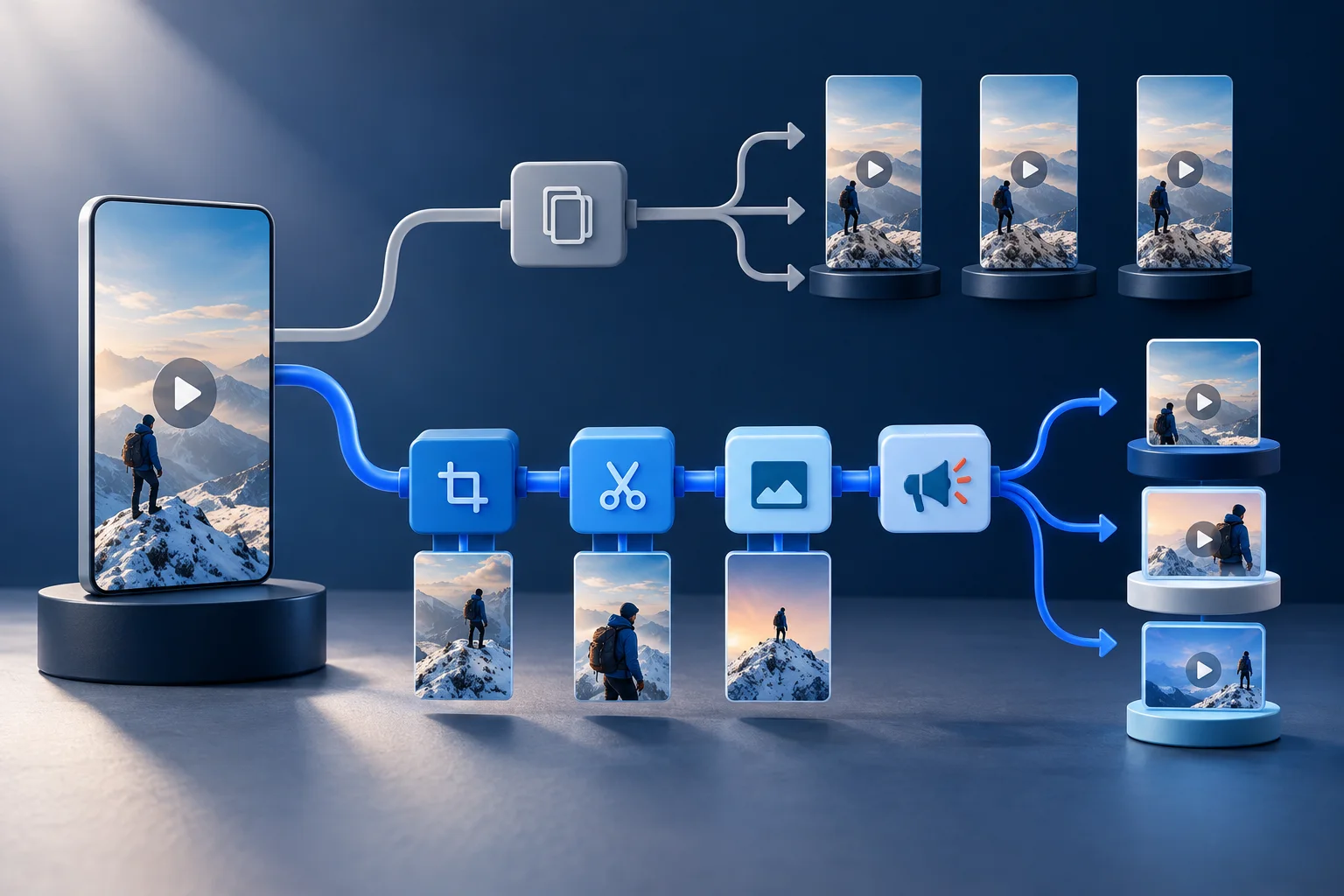
Cross-posting sends one finished asset to multiple channels. Repurposing starts from the same idea or clean master but adapts presentation to the destination. Keep the core claim, footage rights, and brand identity consistent. Reconsider the first frame, visible context, caption copy, cover, CTA, audio choice, and measurement for each platform. Adapt only where the audience or interface creates a real reason; three cosmetic variants are still one idea.
A three-layer adaptation model
Separate the durable content from the platform packaging. That keeps the workflow efficient without pretending every feed behaves identically.
Lock the core idea
Write the one claim, lesson, demonstration, or story beat that must survive every version. This is the content layer.
Export a clean master
Keep a rights-cleared vertical version without watermarks or baked-in platform furniture. This is the reusable production layer.
Adapt the entry point
Change the opening line, first visual, or context card only when the destination audience needs a different reason to stop.
Adapt the packaging
Choose a cover, post caption, CTA, and native metadata that fit the account and the role of that platform.
Measure each destination separately
Use the platform’s own retention and action signals. A view definition or discovery surface on one platform is not directly interchangeable with another.
Make the important decisions before editing
The question is not “can this file upload?” It is “will this viewer understand why it matters here?”
| Signal | Decision | Why it matters |
|---|---|---|
| The first frame already explains the value | Cross-post the clean master | Do not manufacture variation when the opening works without local context. |
| The hook names another platform or behavior | Rewrite the opening | Platform-native language prevents the post from feeling recycled. |
| The CTA depends on a feature or link placement | Adapt the CTA and post copy | The next action must be possible in the destination context. |
| The edit relies on licensed in-app audio | Create a rights-safe master and choose audio per platform | Music availability and usage rights can differ by account, territory, and destination. |
What should stay consistent across all three versions
Consistency belongs in the message and identity, not in every surface detail.
Keep the underlying claim, evidence, source attribution, color system, caption personality, and visual standards stable. A viewer who encounters two versions should recognize the same brand and the same point of view. This also makes approval easier because reviewers can separate content changes from packaging changes.
Keep a clean archive master before adding native audio, stickers, or platform-only elements. Exporting from a published post can introduce compression, watermarks, or rights ambiguity. The master is the reusable asset; the native post is one distribution instance.
Message
Same claim, evidence, and promise.
Identity
Same brand voice, visual system, and quality bar.
Rights
Same documented permission for source footage and music.
Master file
Same high-quality, watermark-free vertical source.
What is worth adapting for each destination
Adapt the elements that influence understanding, discovery, and action.
TikTok often rewards immediate context and creator-native delivery; Reels needs a cover and grid-aware presentation; Shorts connects to a broader YouTube channel and may benefit from language that sets up a deeper video. Those are planning lenses, not universal algorithm rules. Test against your own audience and current product behavior.
The post caption should complete the video rather than transcribe it. Use it to add a caveat, name the source, or give the next step. Choose a CTA to comment, visit a profile, watch the long video, or try a workflow deliberately instead of copying it into every destination.
How to keep adaptation from tripling production time
Create controlled variation at named checkpoints.
Approve the idea and clean master once. Then limit platform changes to a short packaging checklist: opening context, cover, native audio decision, caption, CTA, and scheduled time. If a change alters the evidence or conclusion, it is a new edit and should return to content review.
Track variants as children of the same master. This prevents duplicate work, makes performance comparisons more honest, and keeps teams from accidentally publishing two slightly different cuts to the same account.
Run this review before a clip enters the calendar
A fast review works when the criteria are explicit. Watch the piece once as a viewer, then inspect the details with the sound on and off.
- The file has no watermark
- Every version preserves the core claim
- Platform names in the script are intentional
- The first frame works without borrowed context
- The destination displays a legible cover
- The platform supports the CTA
- Rights cover audio usage at the destination
- The team reports performance by platform instead of blending it
Measure the workflow, not only the view count
A repurposing system should reveal whether the source, edit, and distribution choices are improving. Keep production and audience signals separate.
Master reuse rate
Count how many destinations used the approved master without reopening the main edit. A high rate shows the system is efficient.
Adaptation time
Measure packaging time per platform. If adaptation rivals editing time, the checklist or account strategy is too complicated.
Platform-specific hold
Compare early retention within each platform over time rather than treating raw views as a shared metric.
Action fit
Track the action the post actually asks for (profile visit, comment, long-video view, or signup) inside the destination.
Practical questions, answered
Is cross-posting bad?
No. A clean, relevant video can work on multiple platforms. The problem is careless reuse: watermarks, wrong context, impossible CTAs, or copy that announces another app.
Do I need three different edits?
Usually not. Start with one approved master, then make only the platform-specific changes that improve understanding or action.
Should I remove watermarks?
Publish from a clean master rather than downloading a version from another platform. That protects quality and avoids presenting one platform’s furniture inside another.
Can I schedule all three from one tool?
Prolifik supports review and scheduling for TikTok, Instagram, YouTube and X. Confirm account eligibility and connection status in the product before relying on any scheduled workflow.
Move approved versions onto one calendar
Use Prolifik to schedule the right version for TikTok, Instagram Reels, YouTube Shorts and X without rebuilding the publishing plan in separate tools.
Explore Prolifik schedulingRelated Prolifik guides
The Prolifik editorial team checked platform and product facts on 2026-09-20. Unless we name a source, treat recommendations as Prolifik editorial guidance.