
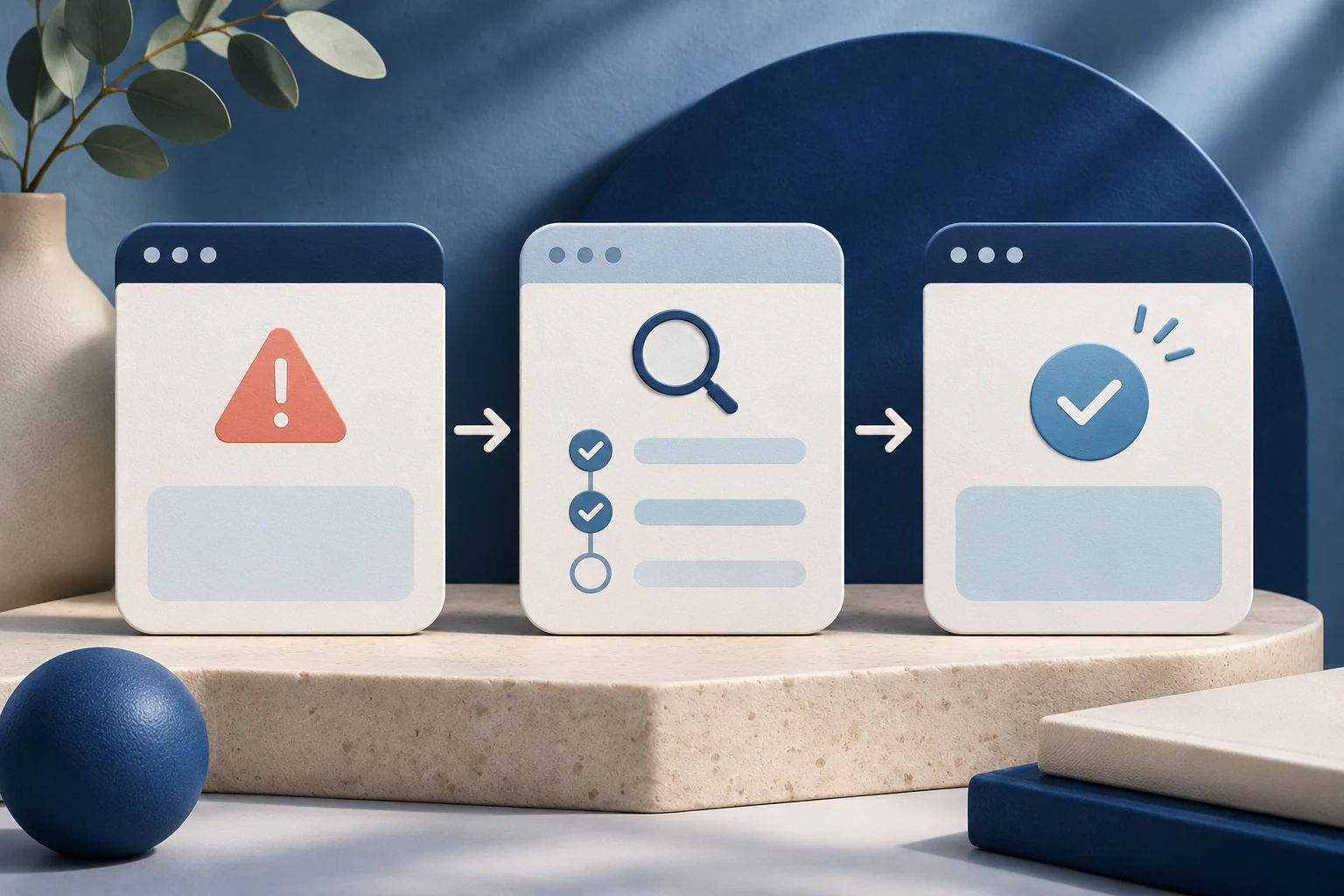
A useful error-recovery demo shows the failure, the reason the user can act on, the correction and a confirmed result. Cutting straight from an error message to a success screen makes the product look smoother, but it teaches neither the recovery nor the limits of the workflow.
This guide uses a fictional collaboration tool called ValeBoard. Its sample error is a teaching device, not a Prolifik incident or a real customer report.
Choose an error the current product can reproduce
A temporary network outage, missing permission and invalid file are different failures. They need different responses. Do not use one dramatic warning icon for all three. For ValeBoard, a sample editor tries to share a board without the required owner approval. The app returns a permission message; an owner grants the appropriate access; the editor retries and the share succeeds.
The example should be captured in a safe workspace with test accounts. Confirm the product version, exact error wording and who can perform the correction. If the real error is still unresolved by the product team, do not present a workaround as a permanent fix.
Keep the failure on screen
The viewer needs enough time to recognize which action failed and which message appeared. A quick red flash is decorative, not instructional. Hold the real error state or use a clearly editorial note that quotes the actual message accurately.
W3C's status-message guidance distinguishes success, waiting and error information in applications. The video should make the same distinctions clear to a viewer, although a recording itself is not proof that the underlying app meets an accessibility standard.
| Moment | Show in the actual capture | Avoid saying |
|---|---|---|
| Failed request | The action and current error | “The app never fails” |
| Diagnosis | Which role or setting caused this case | “All access errors have this cause” |
| Correction | The owner action or user change | “The app fixed itself” if a person intervened |
| Retry | The same intended action again | “Success” before the service confirms it |
| Result | The visible shared state | A business outcome not measured here |
The sequence is a proof chain. If the editor swaps in a result from another board, the viewer can no longer tell whether this retry worked.
Show who owns the recovery
For ValeBoard, the editor cannot grant themselves the missing permission. The owner does that. Label the perspective change, including any real refresh or invitation step, so the viewer does not think a single user can bypass the rule.
Use fictional names and neutral content. Real customer workspaces, staff emails and access tokens do not belong in a public demo. A blur can slip for one frame; a clean sample account is safer when one is available.
The permissions-setting demo guide gives the role/action capture method. This page focuses on what happens after a failure and how to prove the retry used the same intended task.
Keep the retry connected to the original request
A retry can create duplicate work if the first request was accepted but its response was lost. In this ValeBoard scenario, the product clearly refused the share because of a missing permission, so the same user can try again after the owner changes access. In another product, the operator should inspect the original record before submitting a second request.
Do not tell viewers to click Retry repeatedly. Show one bounded recovery path supported by the current product. If the status remains unknown, use the account's readback or support path rather than invent a success state.
The video-agent duplicate-prevention guide covers this distinction for API-driven work. A UI demo should apply the same honesty: “request accepted” and “result visible” are not synonyms.
Edit dead time without editing out causality
The owner may take several minutes to change access. A short video can compress that wait with a visible transition such as “After owner approval.” It should not imply that the editor's failed click automatically changed the role.
Keep the same board title or sample identifier across both sides of the cut. If the app needs a refresh before the updated role appears, show it. If the share action succeeds but the recipient has not opened the board, end at “shared” rather than “collaborated.”
For a vertical short, crop the error text and result large enough to read. Do not add a giant green check over the actual message. The mobile software-demo guide covers preparing a source recording before the edit.
Review the statement a viewer will take away
Ask someone unfamiliar with ValeBoard to watch the draft. Do they understand why the first attempt failed, who corrected it and what the final state proves? If they say the app automatically resolved the permission problem, the edit has lost the key condition.
Listen to any narration and check captions for words such as “only,” “after” and “owner.” Those small terms often carry the whole rule. A corrected subtitle file will not repair wrong words already burned into the video picture.
Store the test accounts, product version, source recording and approved retry result beside the export. When the error wording or permission flow changes, the team can remake the affected section.
Use the short-form path only after the source is correct
Prolifik Video Hook & Demo can build a short around genuine prepared footage. It cannot create ValeBoard's real error or owner approval from a prompt. The current format replaces the recording soundtrack with library music or silence, so the causal explanation must survive in visible copy or another route that retains voice.
Inspect the returned video for all five moments: failure, diagnosis, correction, retry and result. If the crop removes the error or owner change, revise the source before publication. A generated file, scheduled item and public post need separate verification.
Build the short from the real recovery
Record failure, diagnosis, correction, retry and result in a safe workspace, then inspect the delivered file.
Explore Video Hook & DemoFacts checked 2026-11-02. Worked examples are illustrative unless a real source is identified.
- W3C: Understanding status messages Checked 2026-11-02
- Prolifik: Video Hook & Demo Checked 2026-11-02