
The short answer
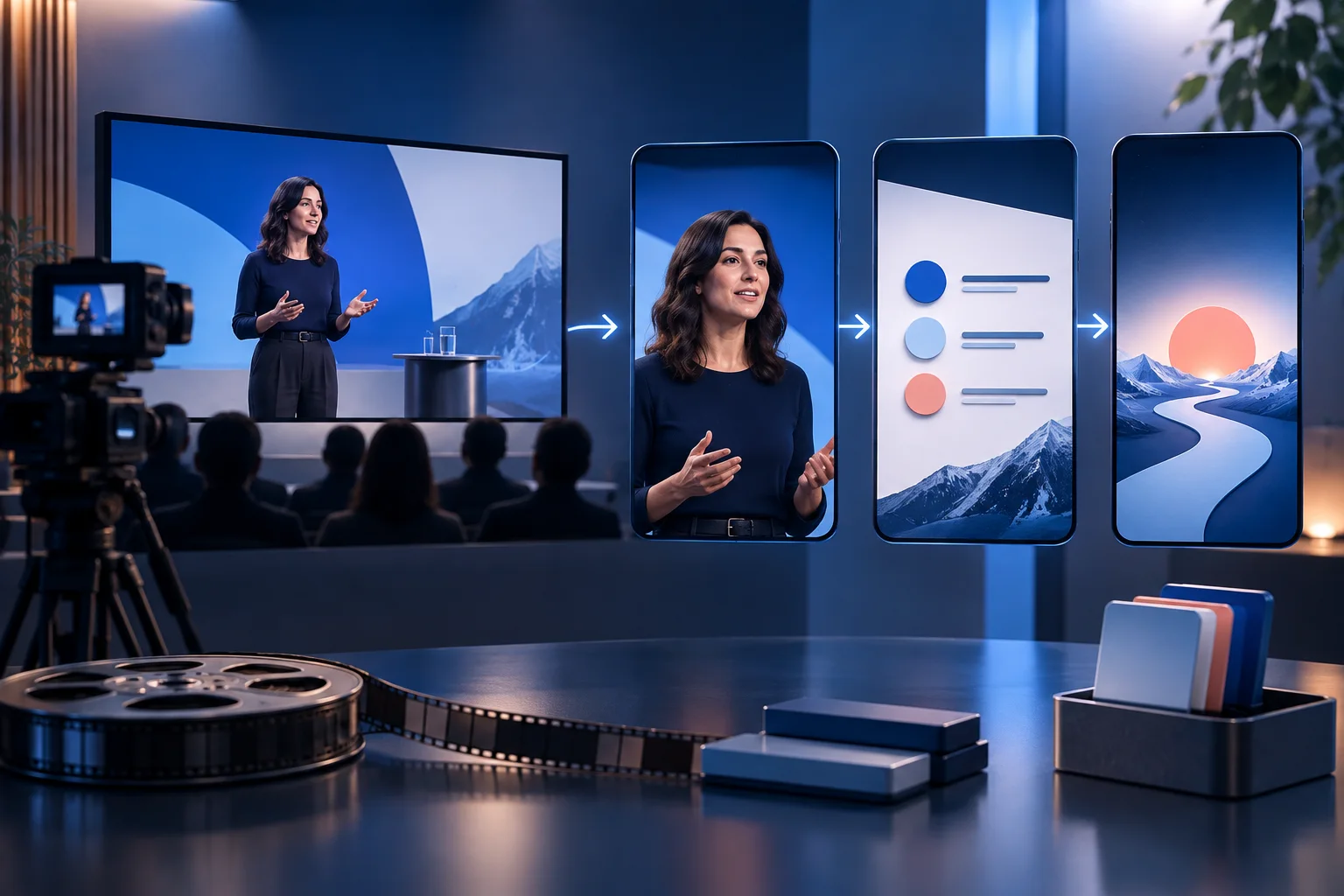
Begin with the webinar’s promise, agenda, transcript, and visual assets. Select moments that contain a clear question, lesson, demonstration, objection, or change in viewpoint. Add the context a social viewer missed, reframe speaker and slides so the evidence remains legible, correct names and technical captions, and sequence the approved clips across a follow-up period rather than posting them in webinar order.
The webinar-to-feed workflow
The source already has chapters. The editorial job is to turn those chapters into independent answers and evidence.
Collect the complete source
Use the highest-quality recording, transcript, slides, speaker names, event promise, CTA, and usage permissions.
Map teachable moments
Mark questions, definitions, demonstrations, strong disagreements, useful examples, and concise recommendations.
Rebuild missing context
Add a brief setup in the opening, post caption, or edit when the moment depends on an earlier slide or question.
Choose a visual layout
Use speaker crop, slide focus, split layout, or cutaway according to the evidence the viewer needs.
Correct specialist language
Verify names, product terms, acronyms, and numbers in captions against the source and slides.
Sequence the follow-up
Publish clips by audience need: headline insight, practical method, proof, objection, deeper answer, and final CTA.
Make the important decisions before editing
The relationship between the speaker’s words and the webinar’s visual evidence determines the best edit.
| Signal | Decision | Why it matters |
|---|---|---|
| The speaker explains a concept without visual dependency | Use a speaker-led crop with concise captions | The face and delivery carry the moment. |
| The slide contains necessary proof or steps | Use slide focus or split layout | Cropping to the speaker would remove the evidence. |
| The answer begins with “as we said earlier” | Rewrite context or choose a cleaner boundary | Social viewers cannot recover webinar history. |
| The moment is mainly promotional | Pair it with specific value or hold it for retargeting | A cold social viewer needs a reason before the event CTA. |
Find moments with social independence
A webinar chapter is not automatically a clip.
A strong candidate can be labeled as a direct viewer question: what changed, how does the method work, why does the common approach fail, or what evidence supports the claim? Skip housekeeping, speaker biographies, and answers that require several minutes of prior setup unless you can add that setup cleanly.
Use the transcript to search for transitions such as “the mistake,” “for example,” “the reason,” “what changed,” and “the result.” Then watch the original video. Transcript search finds candidates; tone, timing, visuals, and speaker interaction decide whether they work.
Make slides and speakers legible in a vertical frame
Do not treat a widescreen webinar as a centered talking-head recording.
When a slide is essential, crop to the relevant region or rebuild the point as a code-native graphic with exact text. Tiny slides inside a 9:16 frame are technically present but functionally absent. When speaker expression matters, give the face enough scale and use cutaways for visual proof.
For panels, follow the active speaker and preserve reactions only when they add meaning. Switching faces late or showing the wrong speaker makes captions feel inaccurate even when the transcript is correct.
Build a two-week follow-up sequence
Use clips to extend the event’s ideas rather than repeat its agenda.
Lead with the strongest standalone insight within the first day or two. Follow with a method, a proof point, a common objection, and a deeper example. Use the final posts to direct interested viewers to the replay, resource, product, or next event.
Leave room to answer audience comments with an additional clip or text-led response. The best follow-up calendar is partly planned and partly responsive.
Run this review before a clip enters the calendar
A fast review works when the criteria are explicit. Watch the piece once as a viewer, then inspect the details with the sound on and off.
- Speaker and event rights are documented
- The opening restores missing context
- Names and technical terms are correct
- Slides are legible at phone size
- The active speaker matches the visual
- Captions do not cover slide evidence
- The CTA points to an available destination
- The sequence does not repeat the event agenda
Measure the workflow, not only the view count
A repurposing system should reveal whether the source, edit, and distribution choices are improving. Keep production and audience signals separate.
Moment approval rate
Compare transcript candidates with approved clips. This shows whether search terms find real standalone value.
Replay or resource actions
Track the downstream action named by webinar follow-up posts instead of assuming views equal event interest.
Question coverage
Record which audience questions the clip sequence answers and which still need a new response.
Source longevity
Separate evergreen moments from date-bound product or event details so the archive remains safe to reuse.
Practical questions, answered
How many clips should a webinar make?
As many as contain distinct, self-contained value and pass rights and quality review. A focused webinar may yield a few strong clips; a dense panel may yield more.
Should webinar slides stay in the clip?
Only when they add necessary evidence and remain legible. Otherwise use the speaker, a focused crop, or a newly built exact graphic.
Can I upload the webinar recording directly?
Use a supported public source URL or uploaded file path available in your current workflow. Verify file limits and account access before promising a direct integration.
What should the first webinar clip be?
Usually the strongest broadly useful insight—not the event introduction. It should make sense to someone who has never heard of the webinar.
Turn a strong source into a working queue
Bring a long video into Prolifik, review the clips that preserve the idea, and schedule the approved versions from one place.
Try the AI ClipperRelated Prolifik guides
The Prolifik editorial team checked platform and product facts on 2026-09-20. Unless we name a source, treat recommendations as Prolifik editorial guidance.